The move-in procedure
At every new stay — admission, room change, internal transfer or readmission — WideCare opens the resident’s move-in procedure: one staff task per step, handed to the team that does it, and the preparation of the room for the housekeeping team. Nothing to trigger by hand.
graph LR
  A[New stay] --> B[Move-in steps — administration, nurses, laundry]
  A --> C[Room preparation — housekeeping]
What triggers at every new stay
As soon as a stay is created — by the admission, a room change or a transfer, or a readmission — WideCare creates both parts at once. Every task is due on the first day of the stay; for a room change made on the same stay, on the day of the move.
Event |
Move-in steps |
Room tasks |
|---|---|---|
Admission |
5 steps |
Prepare the arrival room |
Room change |
5 steps |
Prepare the new room and put the old one back in order |
Internal transfer |
5 steps |
Prepare the new room and put the old one back in order |
Readmission |
5 steps |
Prepare the room (the old one was cleaned at the previous departure) |
Day stay |
The agreement only |
None — a day place is shared, nobody moves in |
No duplicates
Saving the stay again never stacks a second copy of a task already created. A cancelled stay, or one without a room or a resident, creates no task. A genuine later move — a new room, a new date — opens its own checklist.
The move-in steps
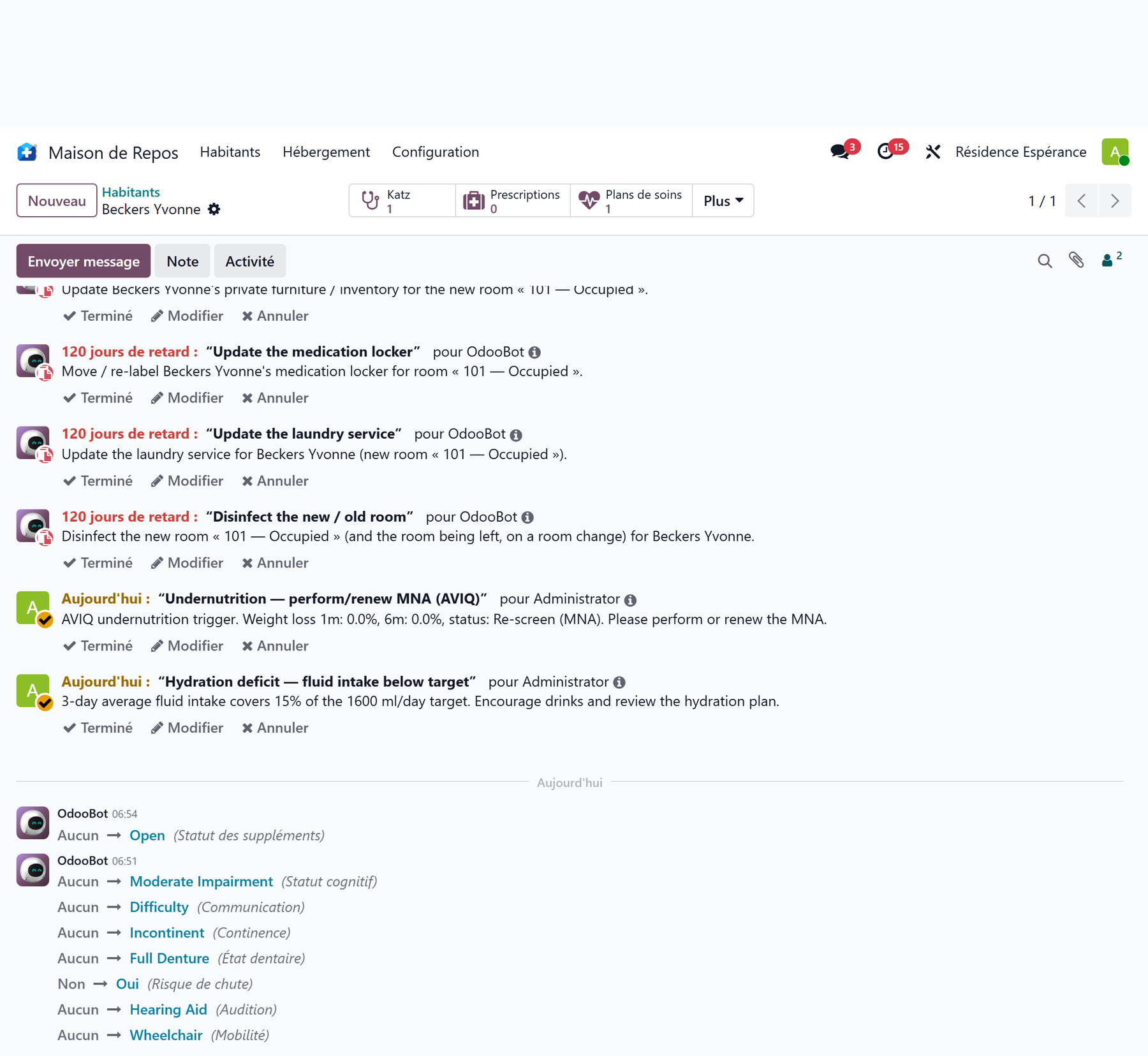
All five tasks carry the category Move-in and name the resident:
Task |
Team |
What it is for |
|---|---|---|
Sign the agreement with the resident’s representative |
Management and administration |
Have the accommodation agreement signed. |
Entry / exit condition report (état des lieux) |
Management and administration |
Draw up the joint condition report of the room — see The condition report. |
Update the resident’s private inventory |
Management and administration |
List the furniture brought in — see The resident’s private furniture. |
Update the medication locker |
Nursing care |
Move or re-label the resident’s medication locker. |
Update the laundry service |
Housekeeping and laundry |
Update the resident’s laundry for the new room. |
Close what applies, cancel the rest
The list is the same for a first admission and for a room change. Close each step with Done — or Done with a comment — and use Cancel task for a step that does not apply to this move.
Room preparation
In parallel, the housekeeping team receives the room tasks:
Prepare the room — arrival of …, on the arrival room, which goes to To prepare on the housekeeping board;
Put the room back in order — departure of …, on the room being left, only on a room change or an internal transfer.
No room task is created for a waiting-list room or a shared day place. See Room housekeeping.
Naming a person on the tasks
Every task belongs to its team; you can also have a person named on it. In Nursing Home → Configuration → General → Settings, block Accommodation:
Named on move-in tasks — the person named on the administrative steps (agreement, condition report, inventory). The nursing and laundry steps stay with their team.
Named on room tasks — the person named on the room preparation and cleaning tasks.
Both fields are optional. Left empty, the task goes to the team, whose members see it and take it; the procedure runs either way.
Key takeaways
The move-in procedure starts on its own with any new stay.
It creates five staff tasks, each for the team that does it, plus the room preparation for the housekeeping team.
Every task is due on the first day of the stay (or on the day of the move).
Naming a person is optional; the teams receive the tasks anyway.