Notebook, documents and invoices
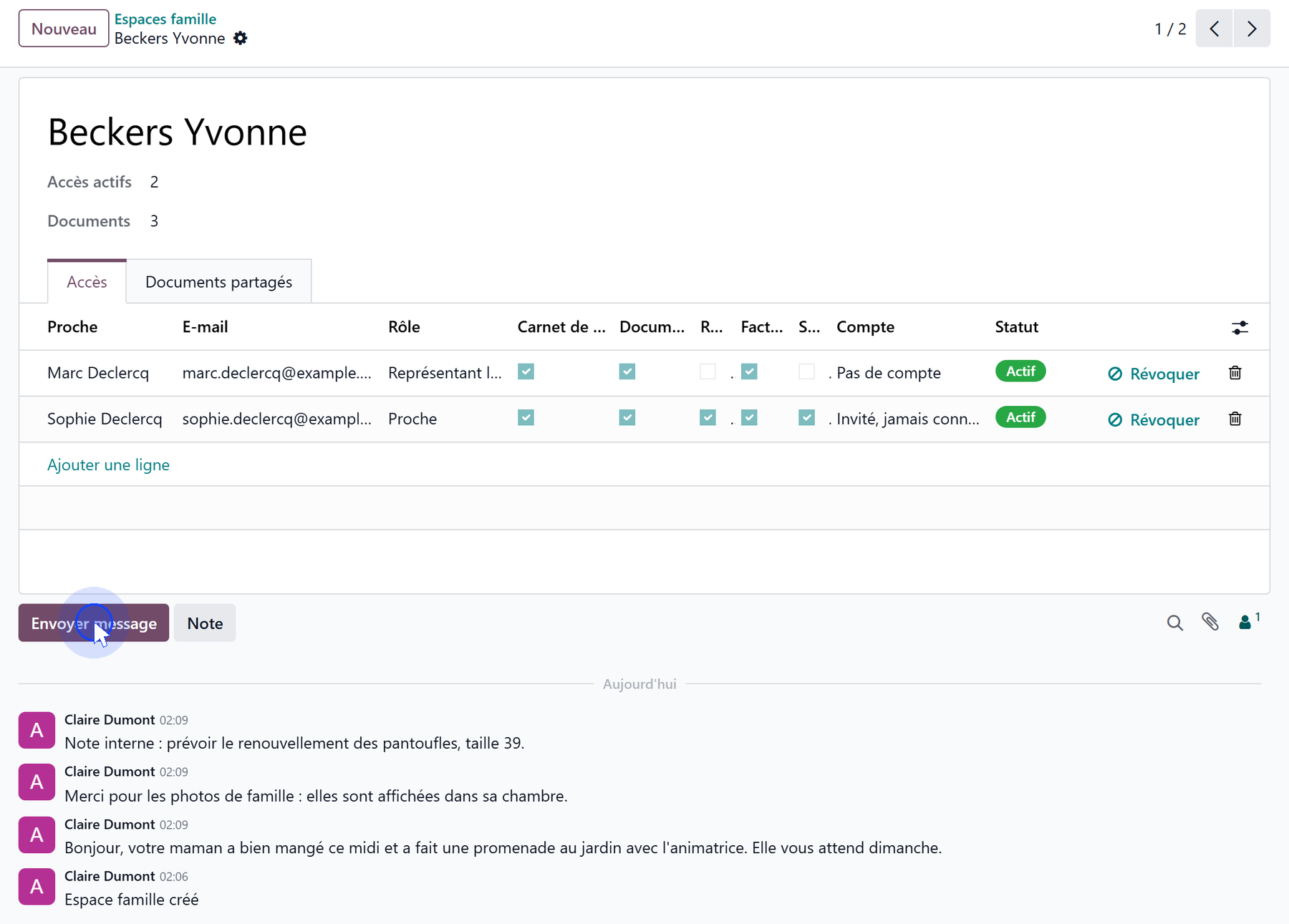
Everything the team publishes for a family goes through the resident’s family space. Open it with the Family Portal button of the resident’s record, the Open the family space link under Contact Persons, or from Nursing Home → Family Portal → Family Spaces.
The space shows the number of Active Accesses and Documents, then two tabs, Accesses and Shared Documents, and the discussion thread.
The liaison notebook
The discussion thread of the family space is the liaison notebook:
Send message — the message reaches the relatives who hold the Liaison Notebook scope, and appears on their portal;
Log note — an internal note, which stays with the team.
Relatives can answer from the portal: their reply comes back into the same thread, and the team reads it there.
One subscription per access
Granting an access subscribes the relative to the notebook; revoking it unsubscribes them. Nobody has to be added to the thread by hand.
Shared documents
Add documents in the family space, Shared Documents tab — or from Nursing Home → Family Portal → Shared Documents for all residents at once. Each document has:
a Date (today by default);
a Title;
a Category: Administrative, Billing, Care or Other;
the File;
a Note for the Family, shown next to the document on the portal.
The category decides who sees the document:
Category |
Shown to a relative who has |
|---|---|
Administrative, Other |
Documents |
Billing |
Invoices |
Care |
Health — and therefore a recorded consent |

Shared documents are chosen, one by one
The family sees only what someone placed here. The resident’s full document folder — scans, signed agreements, letters — stays with the team: see Resident documents.
Invoices
A relative with the Invoices scope sees the resident’s posted invoices and credit notes, whoever they are addressed to: the resident, their billing contact, or each debtor when the resident share is split. For each one: the number, the Customer, the billing Period, the date, the due date, the amount and the status — Paid, Partially paid or To pay — and the PDF to download.
A debtor’s own invoices
A relative who pays a share under split billing also receives their own invoices, which they find in their portal as any customer would. That does not depend on the family portal.