What the relative sees
The home page
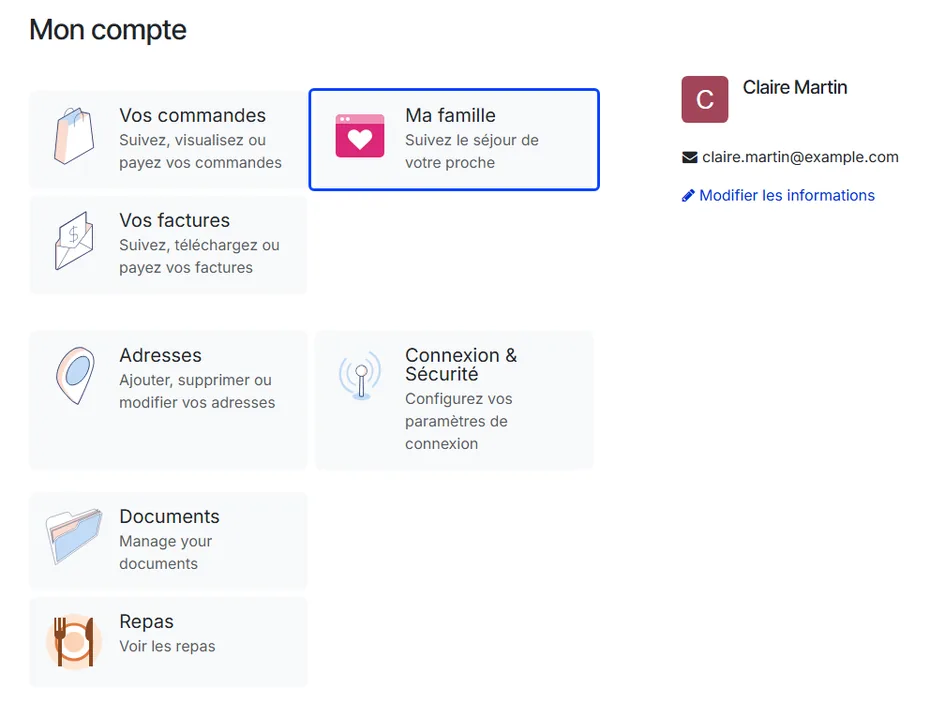
Once an access is active, the relative’s portal shows a My Family tile — Follow your relative’s stay.
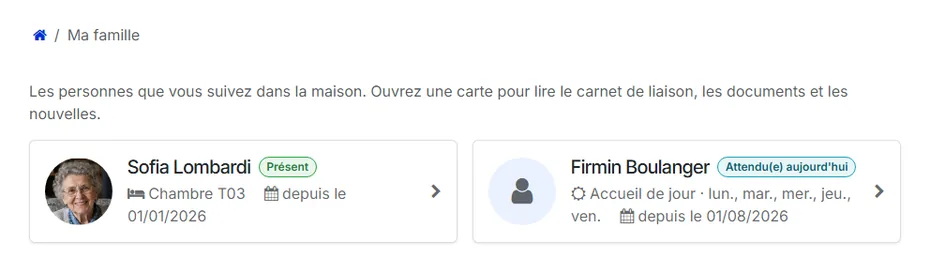
Several residents: the My Family page shows one card per resident, with the photo, the status badge, the room and the date the stay began.
A single resident: the portal goes straight to that resident’s page.
Without any access, the page says so plainly: no resident is linked to this account yet, and the home sends an invitation when it opens one.
The resident’s page
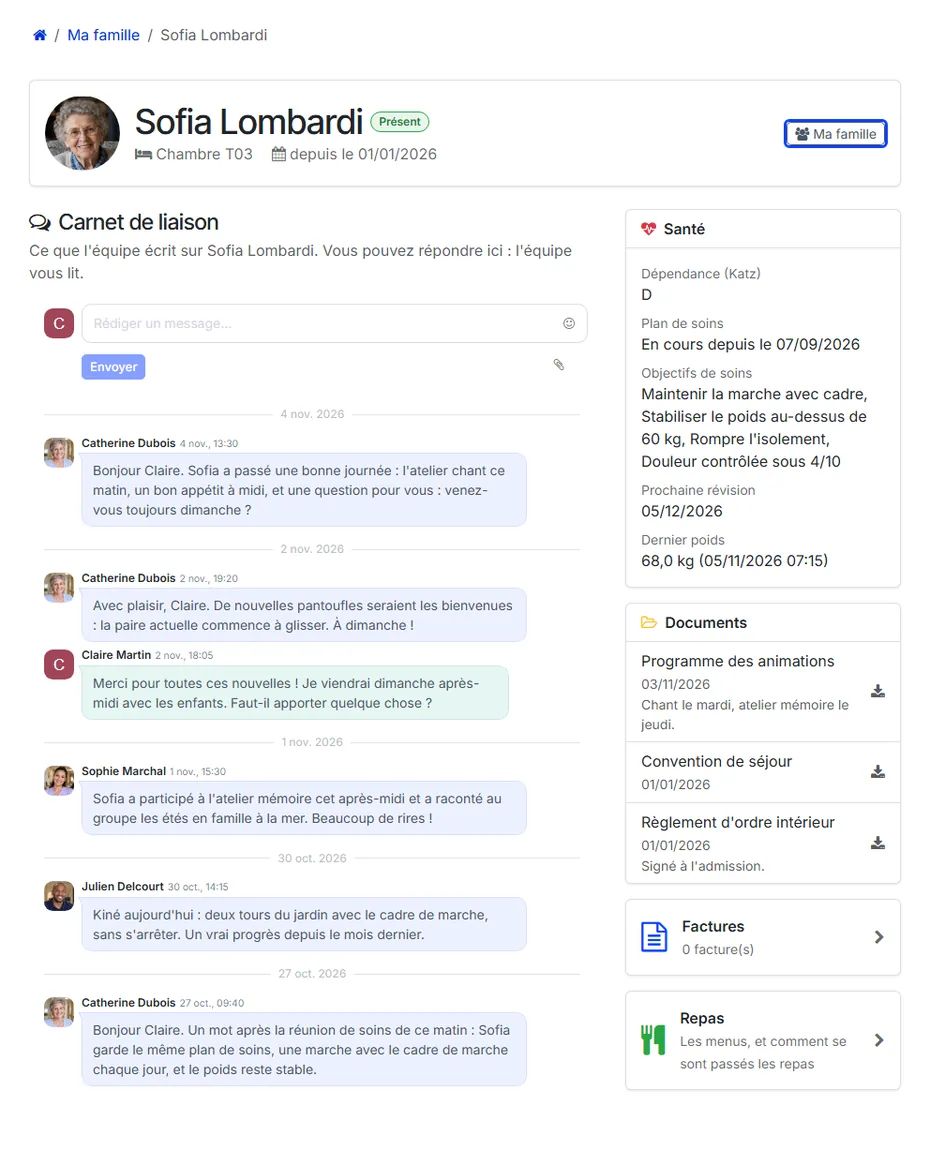
The top of the page gives the resident’s photo, their status and where they live: the room and the date of arrival. A relative who follows several residents finds a My Family button there to switch.
The main column is the liaison notebook: what the team writes about the resident, with a field to reply — the team reads the answers.
A side panel — above the notebook on a phone — carries what the access opens:
Health — the dependency category, the care plan in progress with its objectives, the next review and the last weight. It is a summary, never the nursing notes.
Documents — the documents handed over, with their date and the note for the family, to be downloaded.
Invoices — the number of invoices, and a link to their list.
Meals — a link to the meals of the last 30 days.
When a scope is not open, the page says so instead of staying empty: the notebook announces that it is not open on this access, the health panel that there is nothing to show yet, the documents that none has been shared.
Someone who comes by day
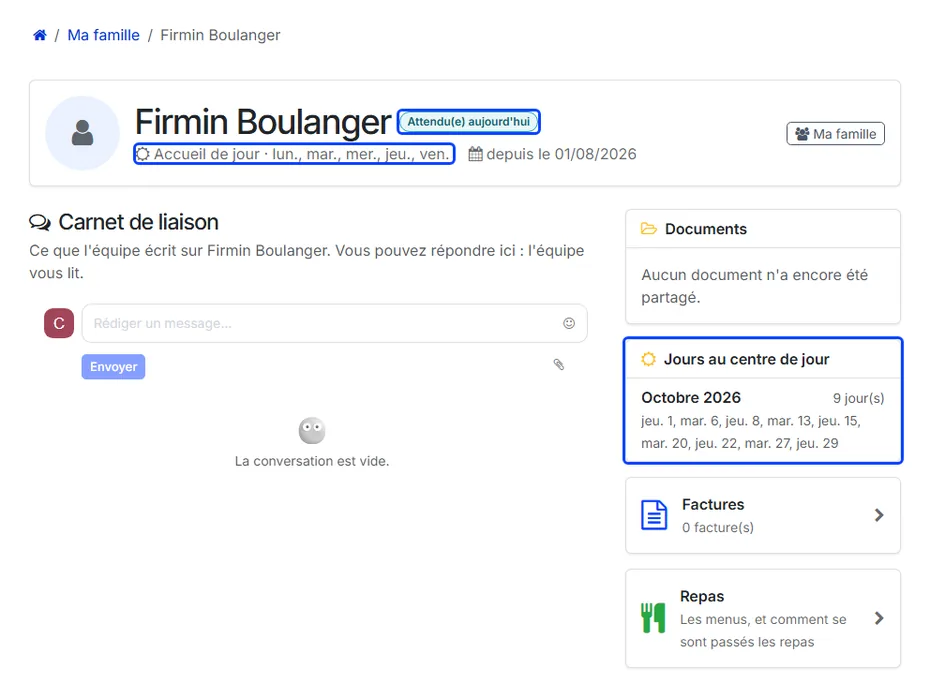
For a person who attends the day care centre and sleeps at home, the page does not show a room:
under the name, Day care and the days they come;
the badge says where they are today: Expected today, At the day centre today or At home today;
with the Invoices scope, a Days at the day centre panel lists, for this month and the previous one, the days they came — the days billed — so the family can set them against the invoice.
The invoices
The Invoices link opens the list of the resident’s posted invoices: number, Customer, Period (the billing month, empty for an invoice outside any month), date, due date, amount, status — Paid, Partially paid or To pay — and a button to download the PDF.

An invoice opened from this list keeps the trail My Family / resident / Invoices, which leads back to the resident rather than to the relative’s own invoices.
The meals
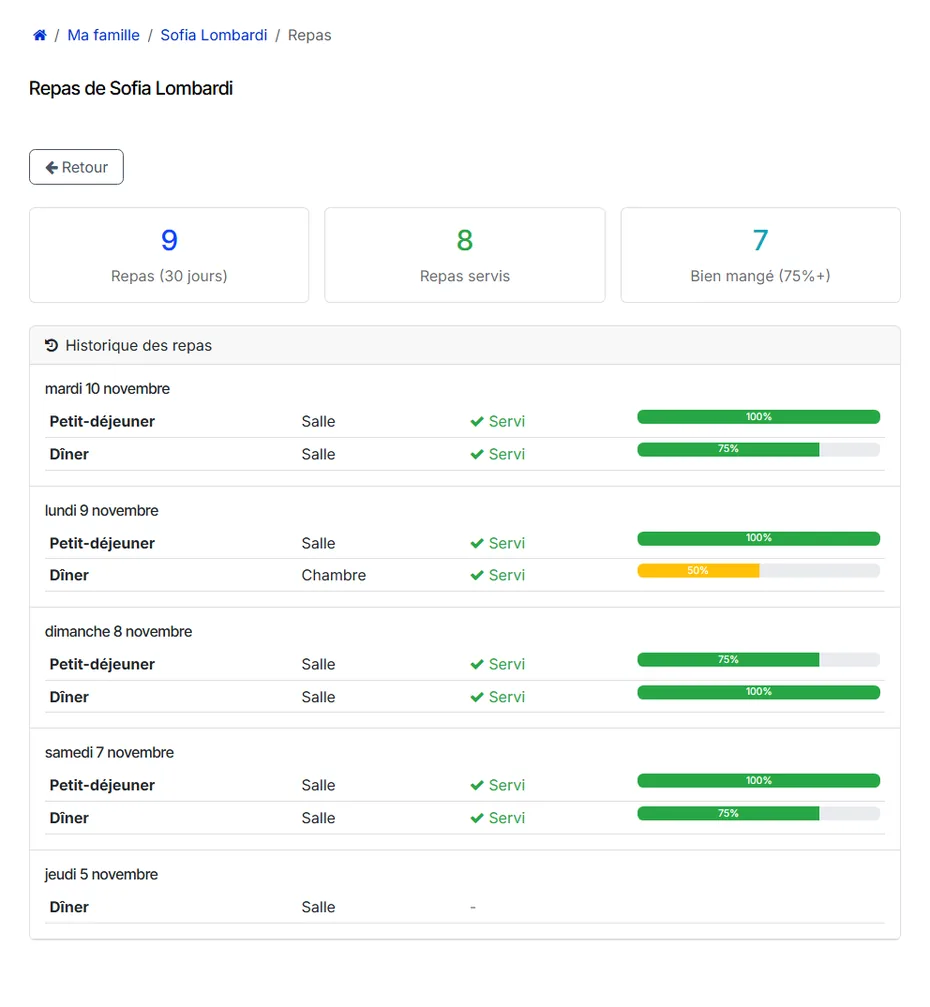
With the Meals scope, the Meals card opens the resident’s meals of the last 30 days:
three counters: the meals of the period, the meals served, and the meals eaten well (75 % or more);
the resident’s diets and allergies, when they are recorded;
the meal history, day by day: each meal, where it was taken (dining room or room), whether it was served, and how much was eaten.
The trail reads My Family / resident / Meals, and the Back button returns to the resident’s page.
Meals follow the access too
Once the family portal is installed, the meal pages read the accesses: a person listed in the resident’s contact persons, but without an access carrying Meals, no longer sees the menus.
What’s next
Family portal and public menu — the meal pages in detail.