Agreements (eAgreement)
When a resident is admitted, is absent, returns or leaves the facility, the mutuality (insurance organisation) must be informed electronically. WideCare takes care of it: at the right moment, it automatically prepares the eHealth notification matching your action. Most of the time you have nothing extra to enter — just to check and, if needed, to send.
Two related concepts
eAgreement: the care coverage agreement (linked to the Katz category and the allowance).
eAgreement Light: the simpler notifications related to the resident’s movements — admission, absence, departure, return. These are the ones WideCare generates on its own as you go.
When does WideCare create an agreement?
You perform the usual business action; WideCare deduces the notification.
Your action in WideCare |
Notification prepared |
Document |
|---|---|---|
Start a stay (admission) |
Admission agreement |
Annexe 7 |
Record an absence / hospitalisation |
Departure notification |
Annexe 11 |
Return of the resident (end of absence) |
Readmission |
Annexe 7 |
Katz aggravation validated |
Care agreement update |
Annexe 10 |
End of stay / death |
Departure notification |
Annexe 11 |
The principle, in one sentence
You manage the resident (admission, absence, return, departure); WideCare manages the eHealth behind the scenes. The billing and agreement operations you see appear are the automatic reflection of what you have just done.
What you need before sending
To check
The resident has a valid NISS (national number).
Their mutuality is filled in.
The facility’s eHealth certificate is active.
Without a NISS, the agreement cannot be transmitted. You can still record the movement (admission, absence…): WideCare notes it and invites you to complete the NISS as soon as possible.
Checking the annexes (PDF preview)
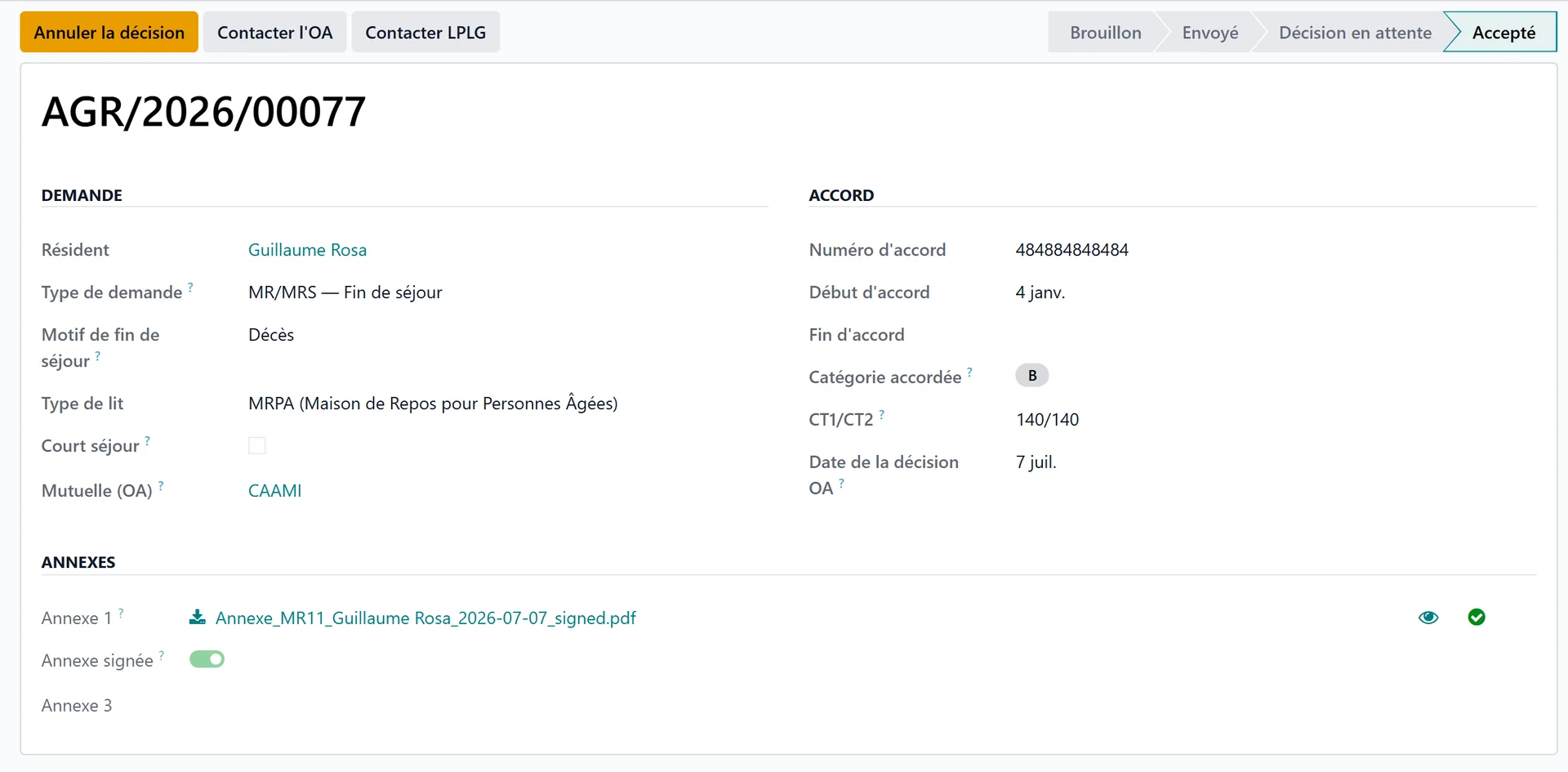
Each annex attached to a request has a preview button (eye icon) next to it: it opens the PDF in a new tab so you can check its content before sending — no download needed.
Once the request has been sent, the Preview sent annexes button shows the merged PDF exactly as it was embedded in the message transmitted to the health insurer. This is the authoritative view of what the insurer actually received: handy to confirm that every annex page really went out.
Before or after sending
Eye icon next to an annex — the source document, available from the Draft state onwards.
Preview sent annexes — the transmitted document, available only once the request has been sent.
Following an agreement
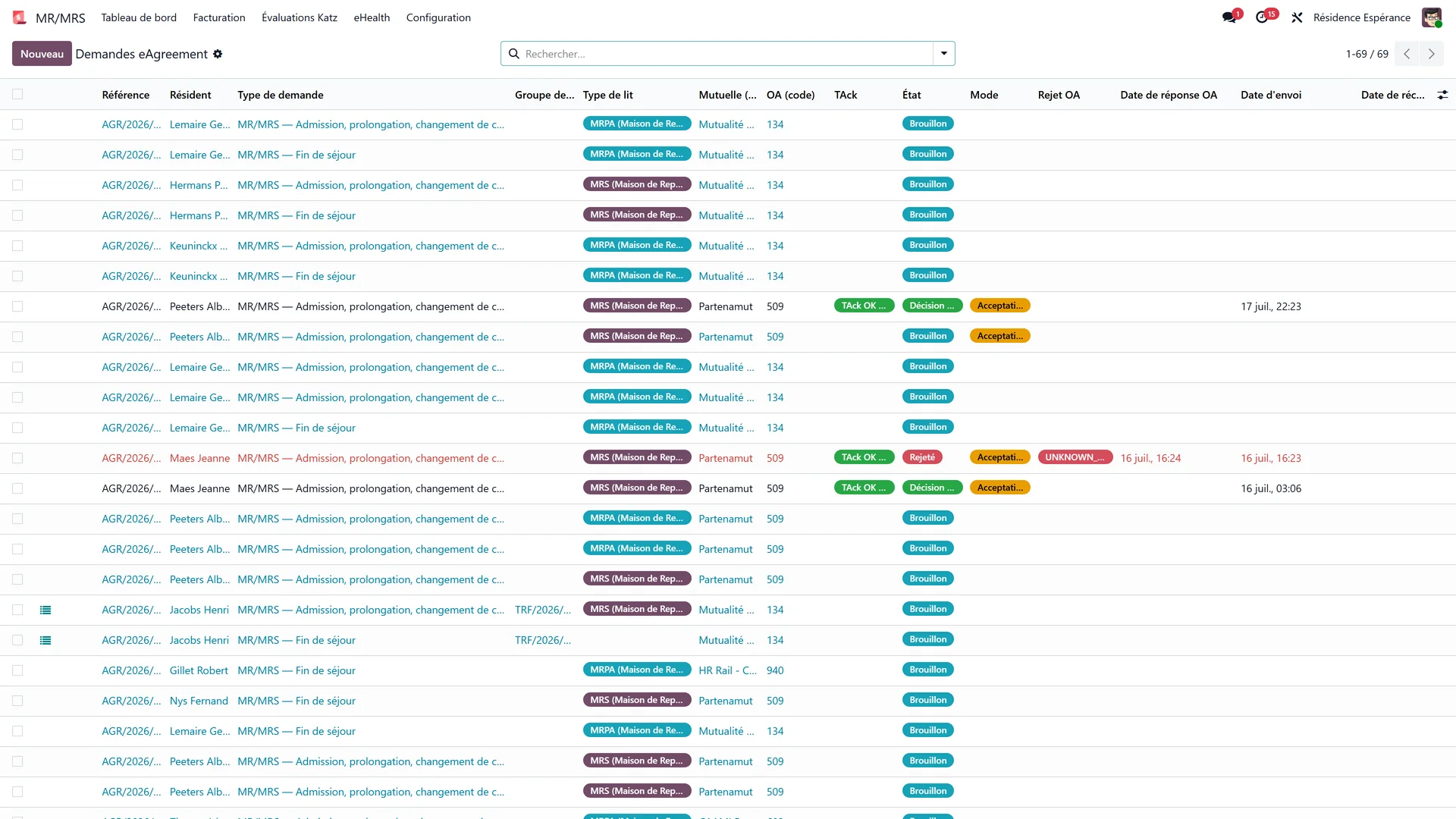
Each agreement goes through clear statuses:
Draft — prepared by WideCare, not yet sent.
Sent (platform) — received by the platform, not yet proven to reach the mutuality.
Awaiting the OA — the mutuality’s legal acknowledgement is back; its decision comes by post.
Accepted or Refused — the decision you record from the mutuality’s letter (or a tacit agreement after 15 days).
Other outcomes: Rejected — the mutuality returned the request electronically, with a reason, to correct and resend; Transmitted — an end of stay, which is declared and never answered; Cancelled. See Following a request and Refused agreement.
From the resident record or the billing period, you see the list of agreements and their status, with a link to the detail.
Answers that arrive by post or e-mail
Not every fund answers electronically. Some send a scanned letter instead. WideCare collects those in the eAgreement inbox, and reads what it can from the incoming message:
the NISS, when it appears in the subject or the file name;
the fund’s reference, when the pattern is recognisable;
the type of document — Annexe 8 (acceptance) or 9 (refusal) for MR/MRS, Annexe 15 or 16 for short stays, or a tacit agreement.
The PDF stays attached to the entry. What the extraction finds is a starting point, not a verdict: you confirm and attach it to the right request.
In case of rejection
If the mutuality rejects a request, WideCare displays the rejection reason in plain language, in French and Dutch, directly on the agreement. You immediately know what to fix (often: NISS, mutuality, or dates) before resending.
Useful special cases
Short absence: an absence of more than 72 h (or any hospitalisation) triggers the departure Annexe 11; the return generates the readmission Annexe 7. See Absences and hospitalisations.
Billing already closed: if the invoice of the month concerned is already posted for this resident, WideCare does not recreate a duplicate agreement for this month — it protects consistency. Reset the invoice to draft (or issue a credit note) if you really must modify this month, then refresh.
Readmission after a long leave: depending on the duration, the readmission may require a new Katz evaluation — WideCare flags it for you.
Day care centre: a day care user has their own requests, csj-in with Annexe 14 when the stay starts and csj-out at the end of care. See The day care agreement.