Price indexation
Selling prices move every year: an index is published with a date, and every supplement price follows. WideCare records each indexation as a new price starting on its date, and keeps the previous ones. Each month is then billed at the price in force during that month.
1. Select the products
Open the Billing app → Facturation → Products.
Switch to the list view, with the button at the top right: the products open as cards, and the cards do not offer the action.
Search for the products to index — part of their name, or their Product Category — and tick them. The box at the top of the column ticks every line shown.
Click Actions → Index prices.
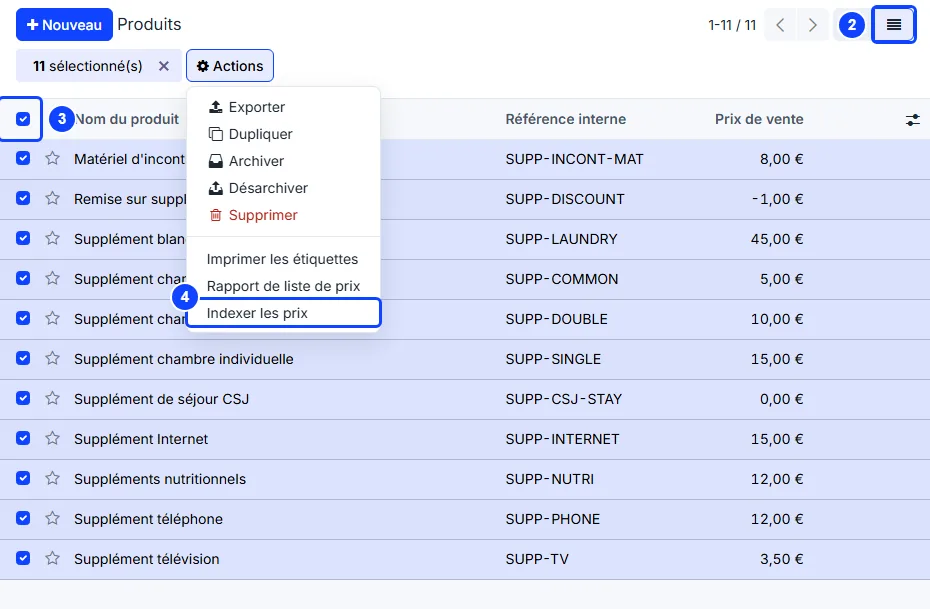
The action is shown to billing managers and to the home’s managers only. It is not offered in Billing → Configuration → Supplement Types.
2. Enter the indexation
The Index prices window opens, with one line per selected product, all ticked.
Indexation (%) — how much every price moves: 2 means +2 %. A negative value lowers the prices.
Applies from — the first day the new prices are charged. Today by default; a later date records the indexation in advance.
Note — where the number comes from: the decision or the publication that sets it. It is required and copied onto every new price: it is the whole audit trail.
Untick Index on a product to leave its price alone.
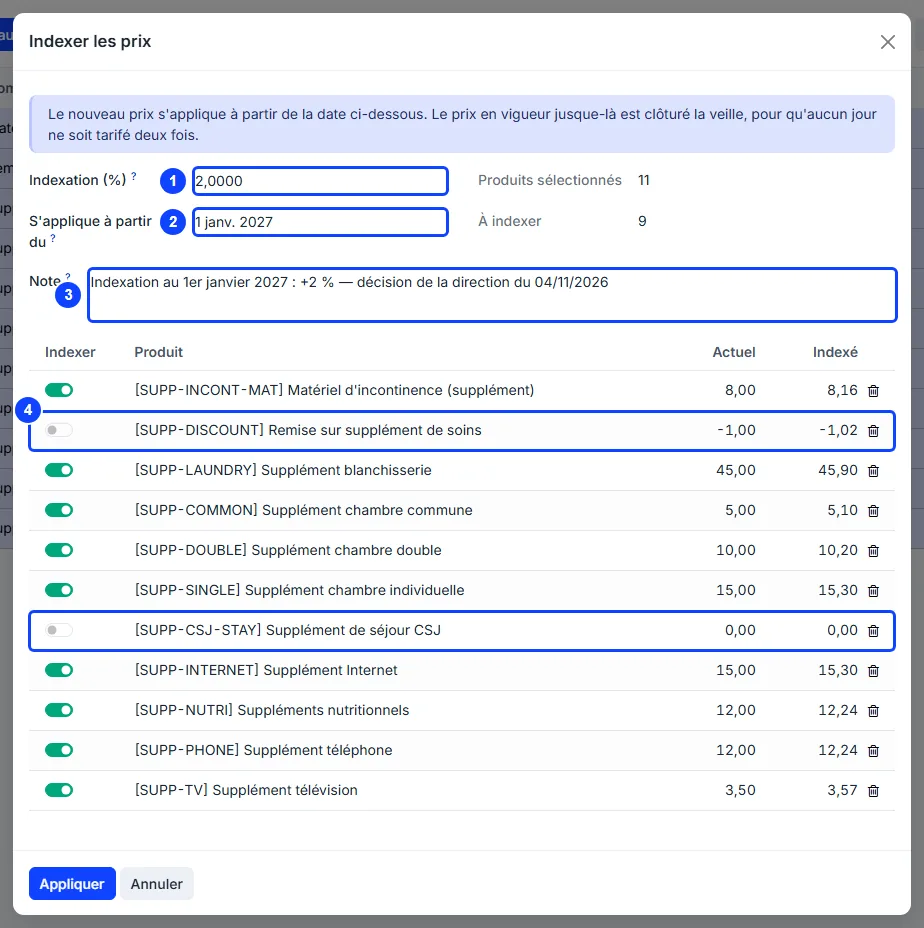
Current is the price in force on the Applies from date, an indexation already recorded before that date included, and Indexed the new price, rounded to the cent. Products selected counts the lines, To be indexed the ticked ones.
3. Apply
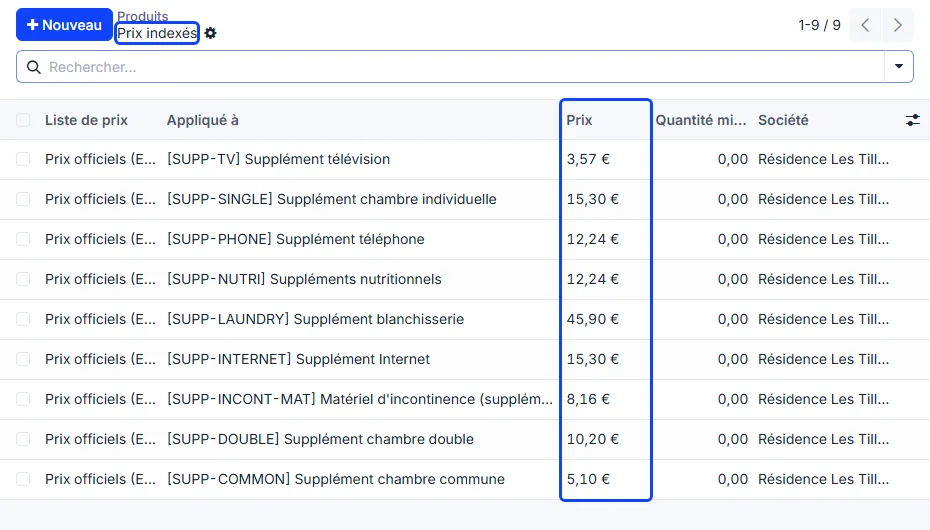
Click Apply. For each ticked product, the price in force is closed the day before the date, and the new one starts on that date, so no day is priced twice. The list of the Indexed prices just created opens.
Where the new price applies
The product’s sales price — on the date itself, by a job that runs every morning. An indexation can therefore be recorded weeks in advance; until that date, the products keep showing the old price.
Supplement conventions — every line that follows the official price. A line with Negotiated price ticked keeps its own Unit Price.
One-time supplements — at the price in force for the month of the envelope.
Rooms — the product of a room type is indexed like any other: its price is the Daily Rate of the type, given to the admissions from that date. A stay already running keeps its own Daily Rate: the indexation does not change it.
Serviced residences
The price of a housing contract is its own amount, not the price of a product. Change it from the contracts, where the notice and the yearly cap are checked: see Changing the price.
Read the price history
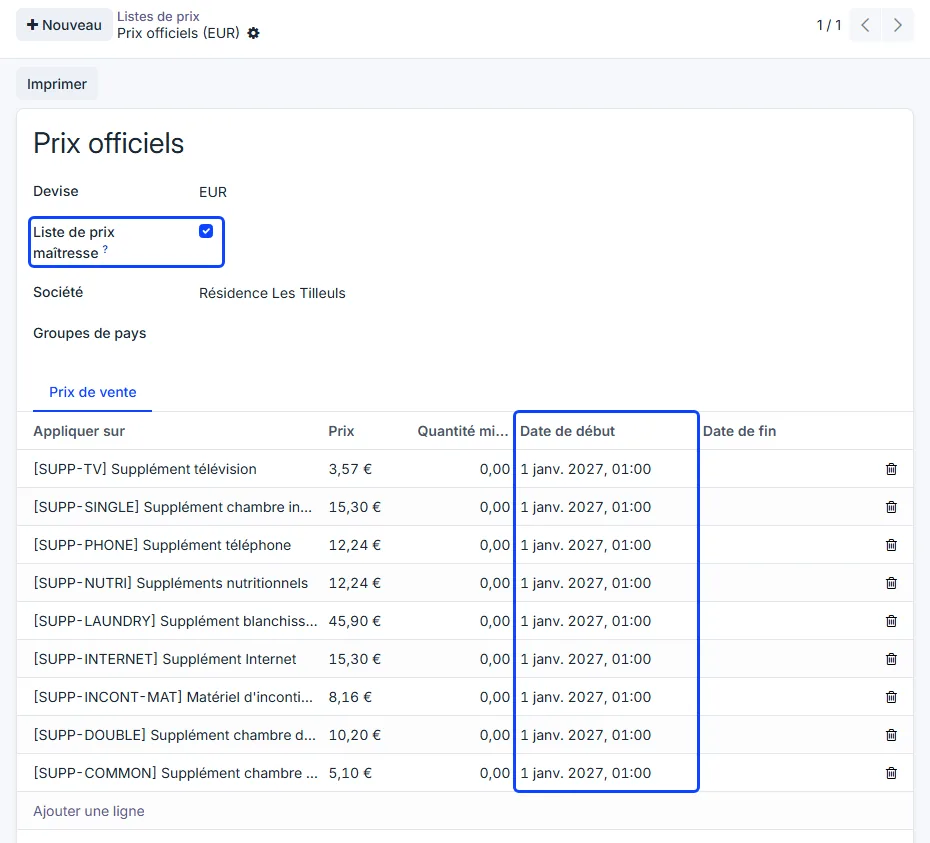
Every price an indexation creates lives in the Official prices pricelist:
Sales → Products → Pricelists, then Official prices: every product, each price with its Start Date and, once a later indexation has replaced it, its End Date;
on a product, the Prices tab: the prices of that product. Open one to read its Validity Period and its Note.
The Pricelists menu and the Prices tab show when Pricelists is ticked in the Sales settings.
The master pricelist
Official prices is created at the first indexation and flagged Master pricelist. A company has only one, and it cannot be deleted: it explains every price already invoiced. Each of its rules carries the Note of the indexation that created it.