Automatic centralization of attachments
In a nursing home, a single resident accumulates dozens of files: stay agreement, medical forms, insurance statements, GDPR consents… Without filing, they end up scattered across discussion threads. Automatic centralization solves this: every attachment added to a resident’s record or discussion thread is filed in their folder in the Documents app, with the default tags applied.
You have nothing to do: filing is automatic and on by default.
Prerequisites
Centralization needs the Documents app — Odoo’s own or the open-source one, depending on your installation. The Residents folder and each resident’s folder are created automatically.
How it works
As soon as a file is attached to a resident — on a message of the discussion thread or directly on their record — WideCare files it in that resident’s folder.
graph LR
  A[Attachment on a resident's record<br/>or thread] --> B{Resident?<br/>Centralization on?}
  B -->|Yes| C[Filed in the<br/>resident's folder]
  C --> D[Default tags<br/>applied automatically]
  B -->|No| E[Nothing is filed]
Three conditions trigger the filing:
the record is that of a resident (a person marked as a resident);
centralization is on for the facility;
the Documents app is installed.
If one is missing, the attachment simply stays on the message or the record.
What is NOT centralized
Centralization concerns residents only. Attachments added to an ordinary contact, a vendor or an employee are not filed in a resident folder.
Where documents end up
Every centralized document is filed in the resident’s folder, under the Residents folder. That folder, created with the resident, holds three subfolders — Medical documents, Administrative documents, Billing documents — where you can move a document to sort it.
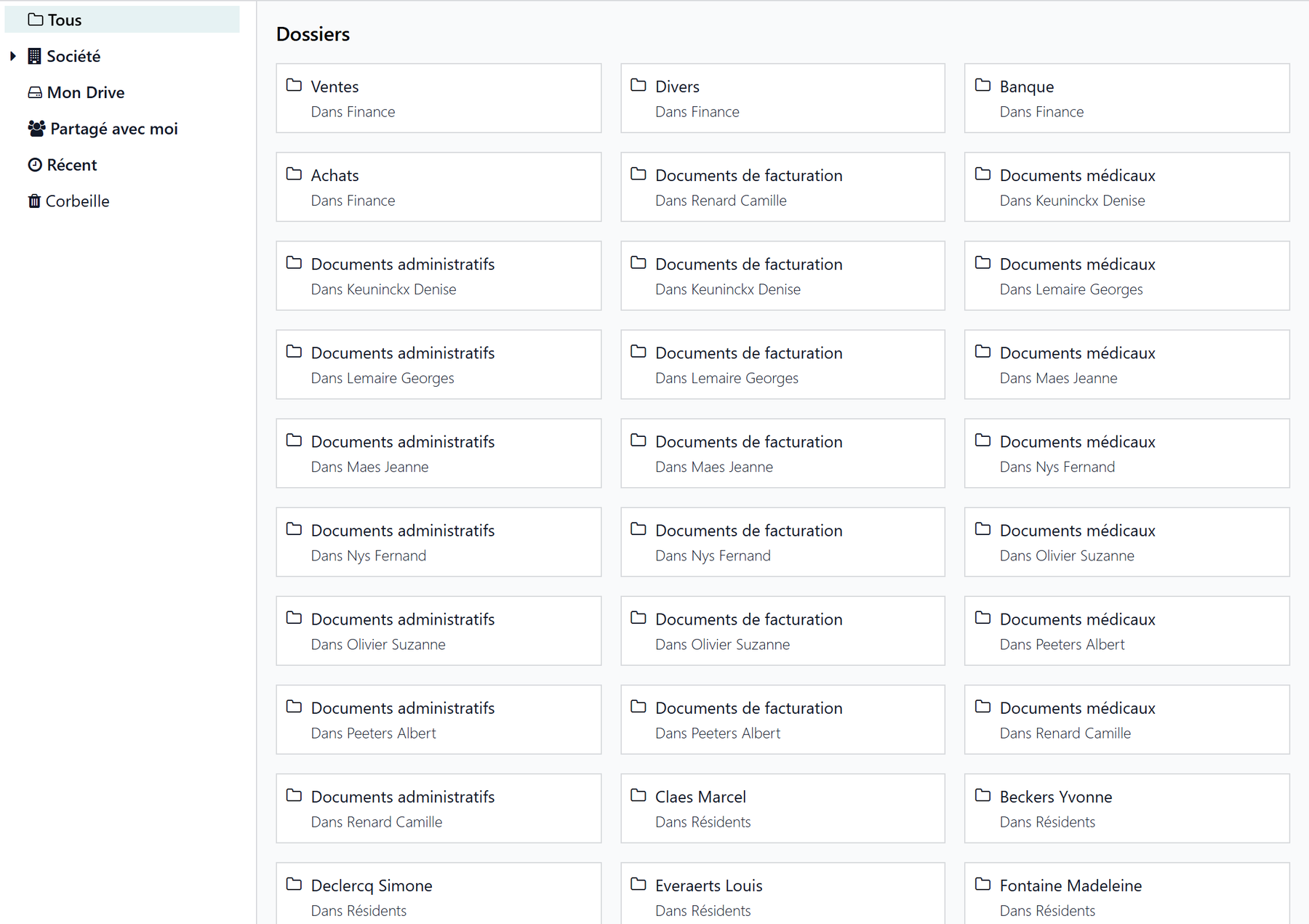
From the resident’s record
On the resident’s record, Documents tab, the Document Workspace tile opens their folder directly. Its counter includes the files of the subfolders. With the open-source Documents app, the shortcut is the Documents button at the top of the record.
Default tags
With Odoo’s Documents app, WideCare applies the facility’s default tags to every centralized document. They let you filter and find documents quickly. The predefined tags (Medical form, Stay agreement, Billing, GDPR consent, End of stay, and those that follow the country’s rules) are listed on Resident documents.
Start light
Default Tags is optional. Leave it empty to start, or put a single generic tag in it: you can always tag each document more precisely afterwards.
Who can see the documents
Centralized documents follow the rights of the resident’s folder. They have no individual owner, which prevents a file from “belonging” to a single staff member and keeps the whole resident folder consistent.
Separated by facility
In multi-company, each facility has its own Residents folder and its own centralization settings. A resident’s documents stay within their company.
Settings
The settings are per facility, in Settings → Documents.
With Odoo’s Documents app, under File centralization:
Nursing Home — on by default; unticking it stops the filing of future attachments. Documents already filed stay in place, nothing is deleted or moved.
Root Folder — the folder that holds the resident folders (Residents by default).
Default Tags — the tags applied to every centralized document.
With the open-source Documents app, under Nursing Home:
Resident Documents — on by default: each resident gets their folder, where the files attached to them are filed. Unticked, new residents no longer get one; existing folders stay as they are.
Root Folder — the Residents folder.
Blank Forms — the folder for your templates.
Default Tags — the tags kept for resident documents. With the open-source app, they are not applied by themselves: tag each document in the Documents app.
The settings are described with the other configuration screens on the Document settings page.
Key takeaways
Every attachment added to a resident’s discussion thread or record is filed automatically in their folder.
Filing concerns residents only — not contacts, vendors or employees.
With Odoo’s Documents app, the facility’s default tags are applied to every centralized document.
The Documents tab of the record opens the folder directly.
Centralization is on by default; turning it off leaves the documents already filed in place.
The settings and folders are specific to each facility.