Medication round
The Round screen shows the doses to give at each moment of the day, taken from the prescriptions entered in the back office. It appears for whoever gives medication.
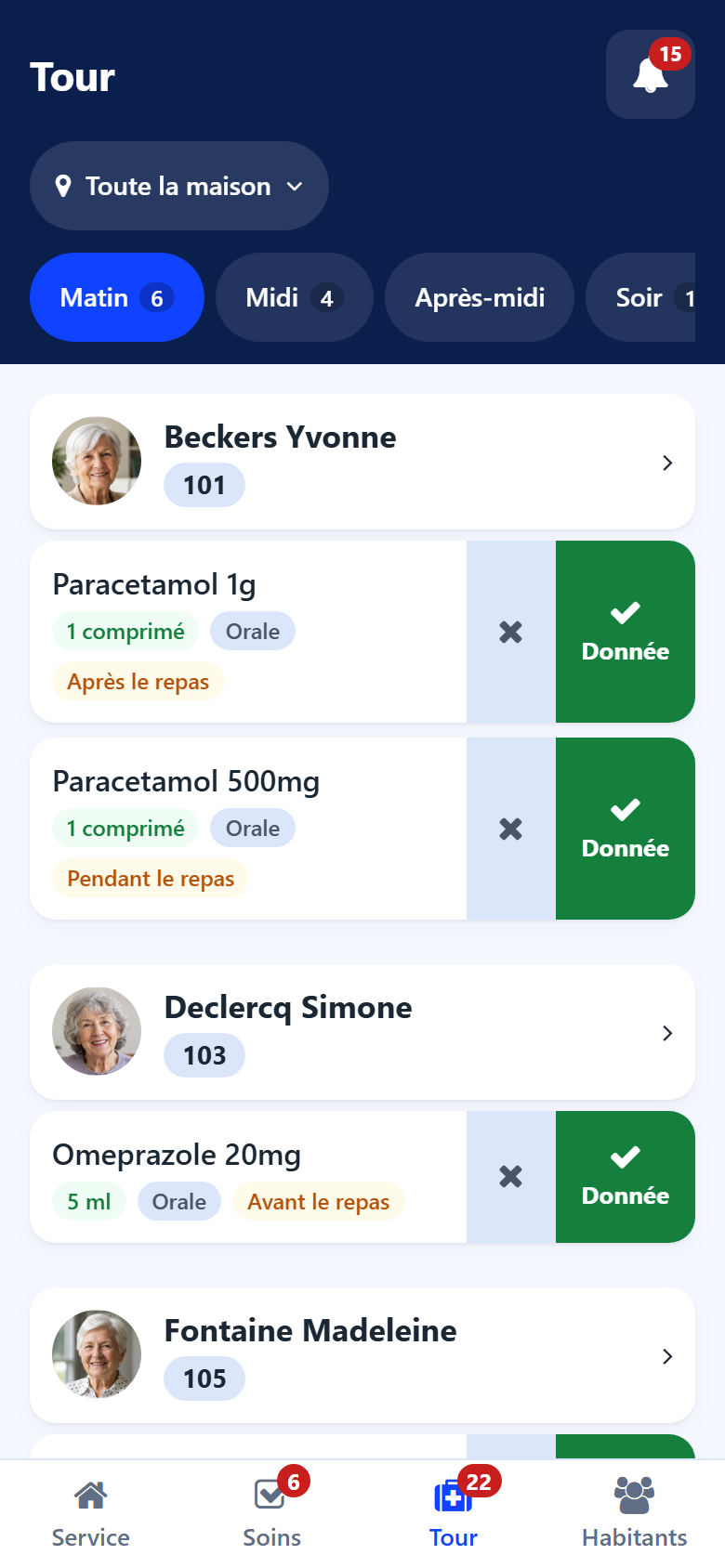
Choosing the moment
The button beside the title gives the moment of the round: morning, noon, afternoon, evening, night, or All day. Tap it to change. Each moment shows the doses it still holds; a red dot says doses of that moment were missed.
When the moment chosen has no dose, the screen says No dose on this round and names the round where doses are waiting, with Go there.
What a dose shows
the hour, and the day in red when the dose belongs to another day (Yesterday, a date);
the medication and the dose;
the moment of the round, the route (oral, sublingual…) and the moment relative to the meal;
If needed, Narcotic, and what changes the act: do not crush, in food, a glucose first…
the special instructions of the prescription.
When the house tracks its pillboxes, a dose may also show Not prepared, Issue at the check or Missing: the pharmacy is told. See Pillboxes.
Recording a dose
Swipe the dose to the right: Taken. The line then shows the status, the time and who gave it.
Press and hold the dose for the other choices:
Taken — handed over and seen taken;
Distribute only — handed over; the intake is still to be seen. The line then shows the hand icon and the hour. Swipe it Taken once seen;
Not given — see below;
Given earlier — see below.
A wrong swipe is taken back with Undo, offered for a few seconds. Later, the record is corrected from the resident’s sheet by a nurse or a physician.
Tip
A distributed dose whose round is over and that nobody confirmed appears in the bell under Intakes to confirm.
The whole round at once
At the top of the round and under each resident:
Distribute all — records every dose shown as distributed, by you, now;
All taken — records every distributed dose as taken, by you, now.
A sheet first says how many doses and residents are concerned, and lists what is Left aside and why: a dose waiting on the phone, an insulin whose glucose is to read first… Confirm with the button of the sheet. A refusal or a dose not taken is then recorded dose by dose.
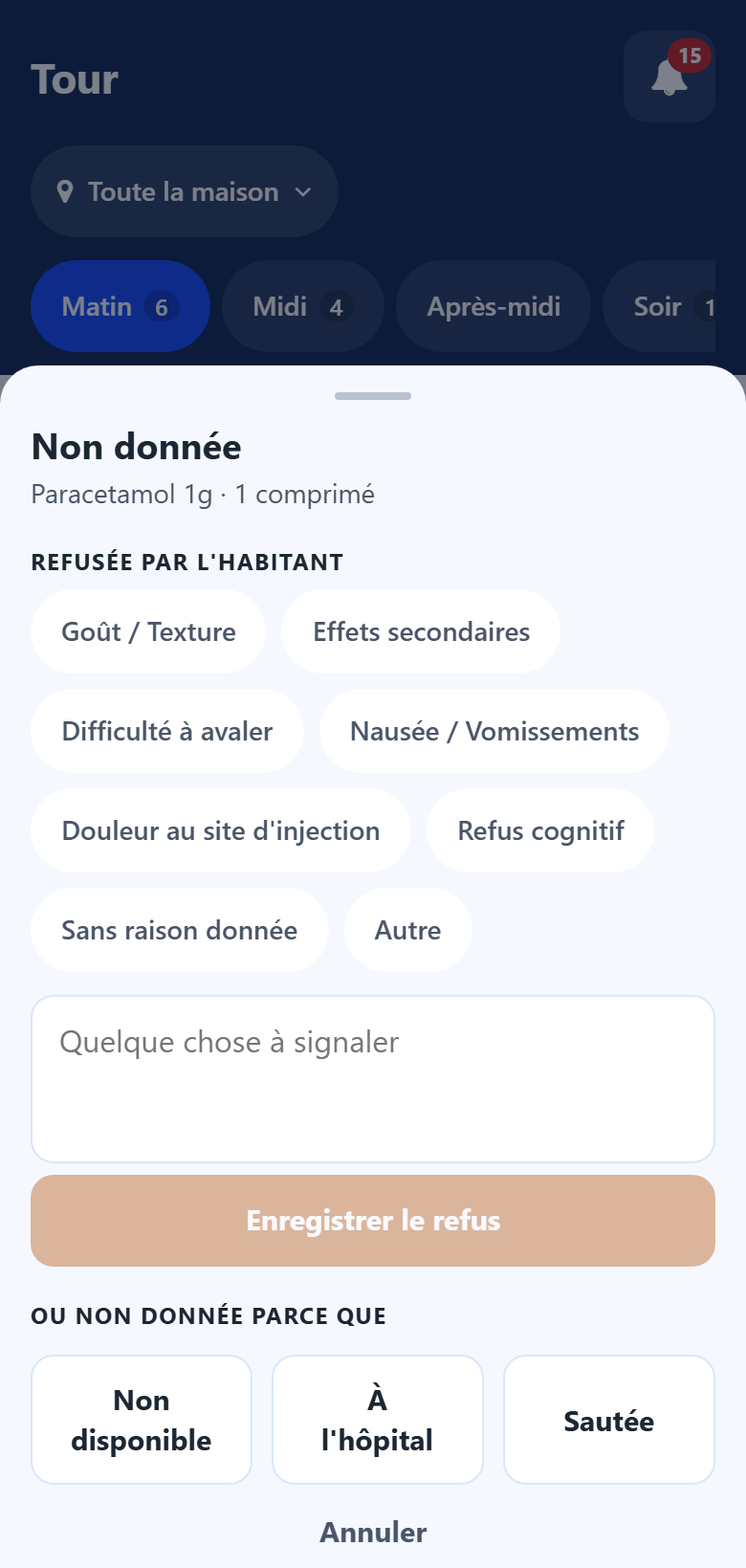
Recording a dose not given
Swipe the dose to the left.
Choose:
under Refused by the resident, the reason of the refusal, add a remark under Anything worth noting if useful, then tap Record refusal;
or, under Or not given because: Missing: tell the pharmacy, In hospital, Skipped — and Away for someone who only comes by day.
Missing: tell the pharmacy puts the medication in the house’s next order to the pharmacy.
For a dose already distributed, the sheet asks Distributed, and not taken because: choose the reason and tap Record not taken.
A dose given earlier
A dose given at its hour and recorded only now:
Press and hold the dose and choose Given earlier.
Under Given at, enter the hour it was given. The hour of the round is proposed.
Tap Record as given.
The record keeps this hour, your name, and that it was written afterwards. The line then shows recorded afterwards. A dose of a day already over can only be recorded this way. An hour still to come is refused.
Glucose before an insulin
An insulin asks for the capillary glucose first. When you record it as taken, a sheet asks the Capillary glucose (mg/dL):
enter the value and tap Taken, glucose recorded;
or tap Taken, no glucose read.
An impossible value is refused with the range accepted.
Unplanned medication or care
The + button at the top records a medication that is not on the treatment sheet, or a care nobody planned. See New task.
Pillboxes
For the nurses, the pillboxes button at the top opens the preparation and the check of the pillboxes. See Pillboxes.
Note
The administrations recorded here are the same as in the back office: they feed the resident’s history and the refusal counters of the prescription. See Prescriptions.
Going further
The medication round at the desk — corrections and incidents.