Shifts for the staff
The staff see only the confirmed shifts: what the planner is still preparing stays out of sight until it is published.
My shifts
Open Planning → My shifts. Your published shifts appear as a calendar, cards or a list. Open one to read its sector, hours, label and the handover Notes.
A user sees the confirmed shifts of their team, so they can also read who works with them in Planning → Schedule.
The schedule email
When the planner sends the schedule, each person whose shifts changed receives an email with their shifts of the period and a See my schedule button.
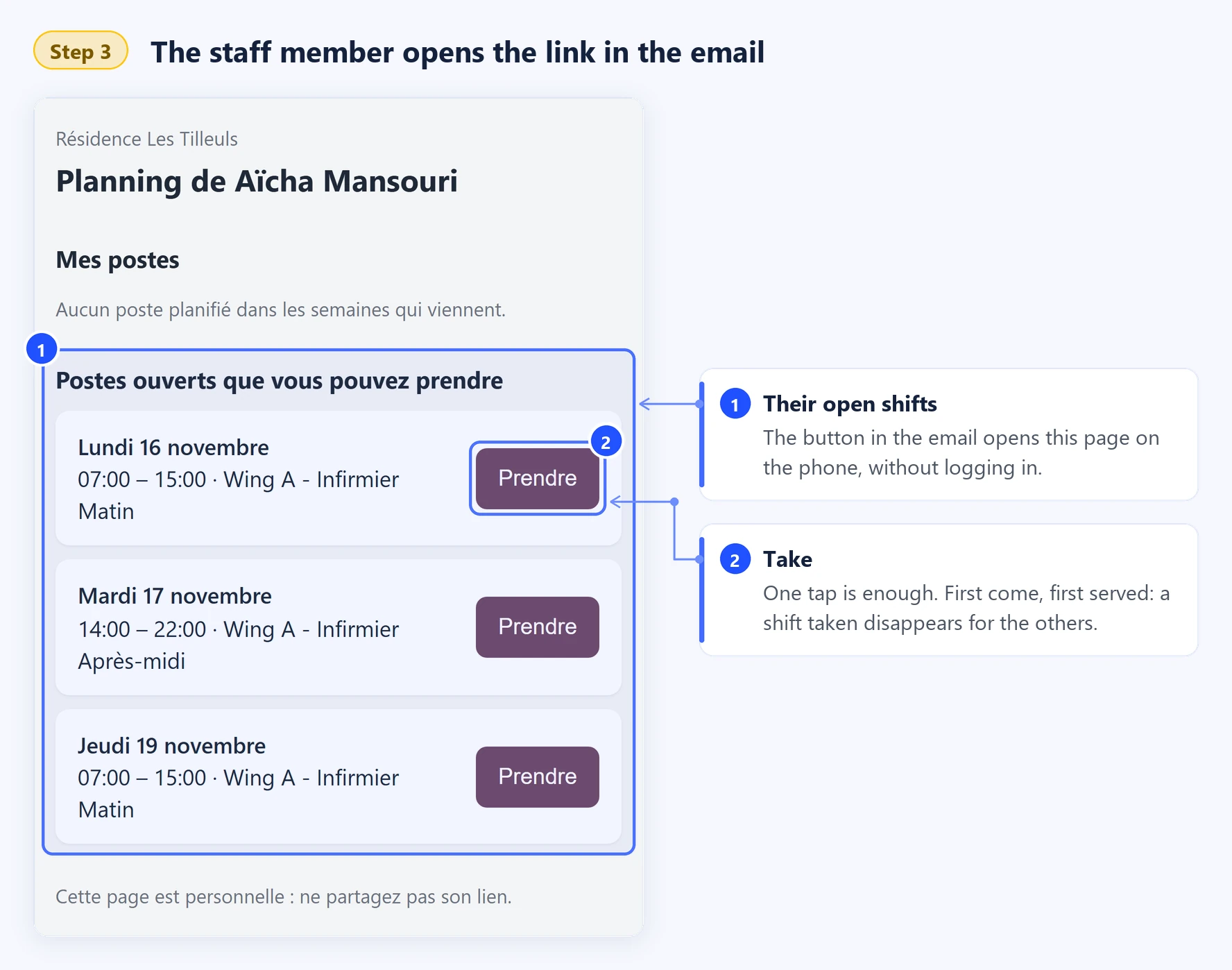
The button opens a personal page, made for the phone:
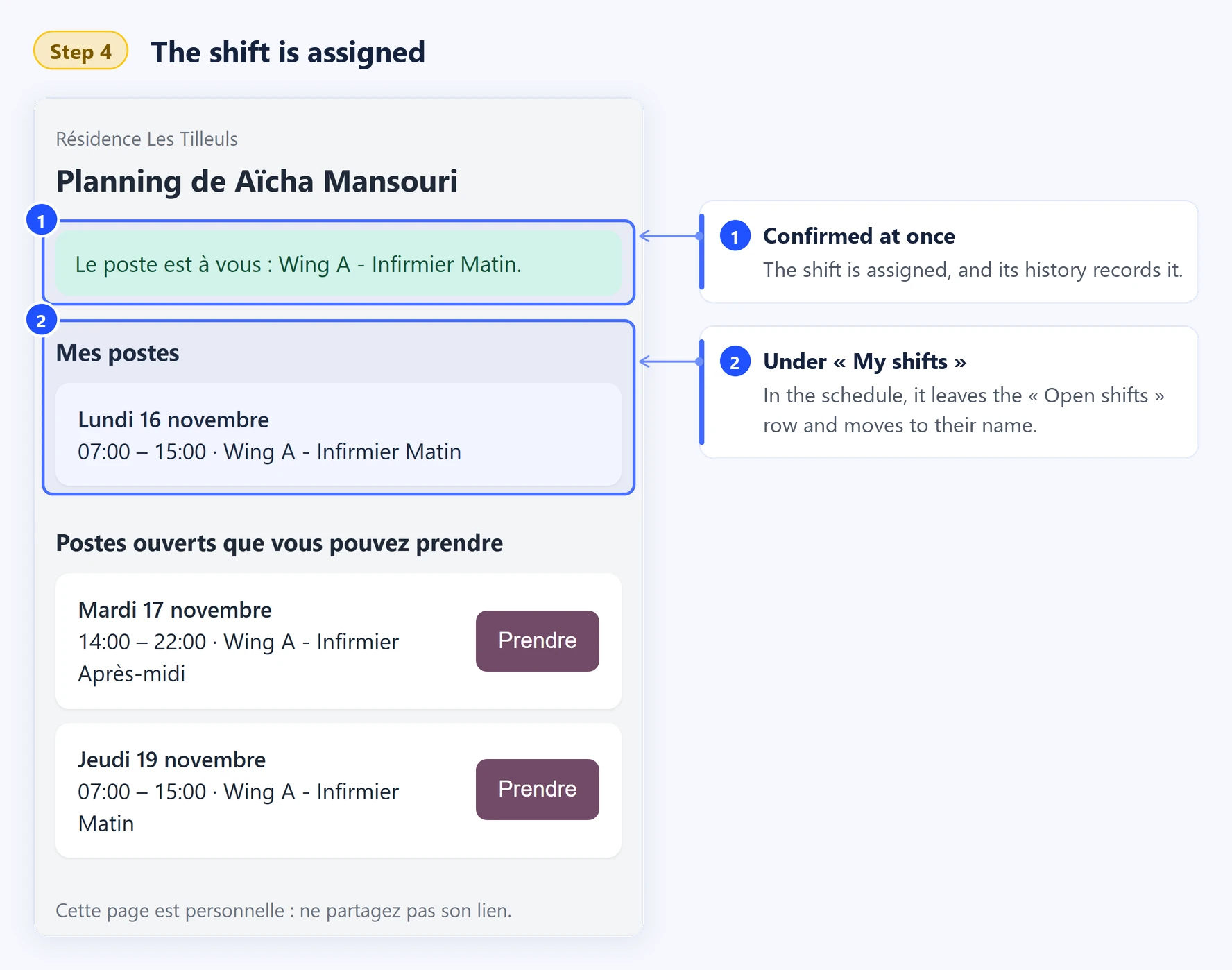
My shifts — your shifts of the coming six weeks, with their notes;
Open shifts you can take — the open shifts of your role, each with a Take button.
The page needs no login. It is personal: keep its link to yourself.
The open shifts email
When shifts are still open, the planner can send them to the staff of their role. You then receive an Open shifts email that lists the shifts you can take — day, hours, sector and role — and a Take an open shift button. It opens your personal page directly on Open shifts you can take.
The email only lists the shifts you can actually take. First come, first served: a shift someone else has taken in the meantime is no longer on your page.
Take an open shift
An open shift is a confirmed shift that still has nobody. When the setting Open shifts is on, anyone holding its role can take it:
in the Open shifts menu of Planning, click Take this shift on the card or in the list; or
on your personal page, tap Take.
The shift is yours at once, and its history notes who took it. The list opens on the Upcoming shifts: a shift that has started can no longer be taken.
WideCare refuses the shift when:
it is already taken, not published yet or already started;
it asks for a role you do not hold;
you already have a shift at that time;
it would leave you less rest between two working days than the establishment requires;
the establishment does not let the staff take open shifts.
Note
To take a shift from the back office, your user must be linked to your staff record. Your scheduling preferences do not block a shift you choose yourself.
Learn more
Automatic assignment of care tasks — the care tasks shared out among the staff on shift.