Evaluations
The Evaluations button of the resident’s sheet lists the evaluation scales available for that resident. A task that asks for a scale — To fill in on the Tasks list — opens the scale directly.
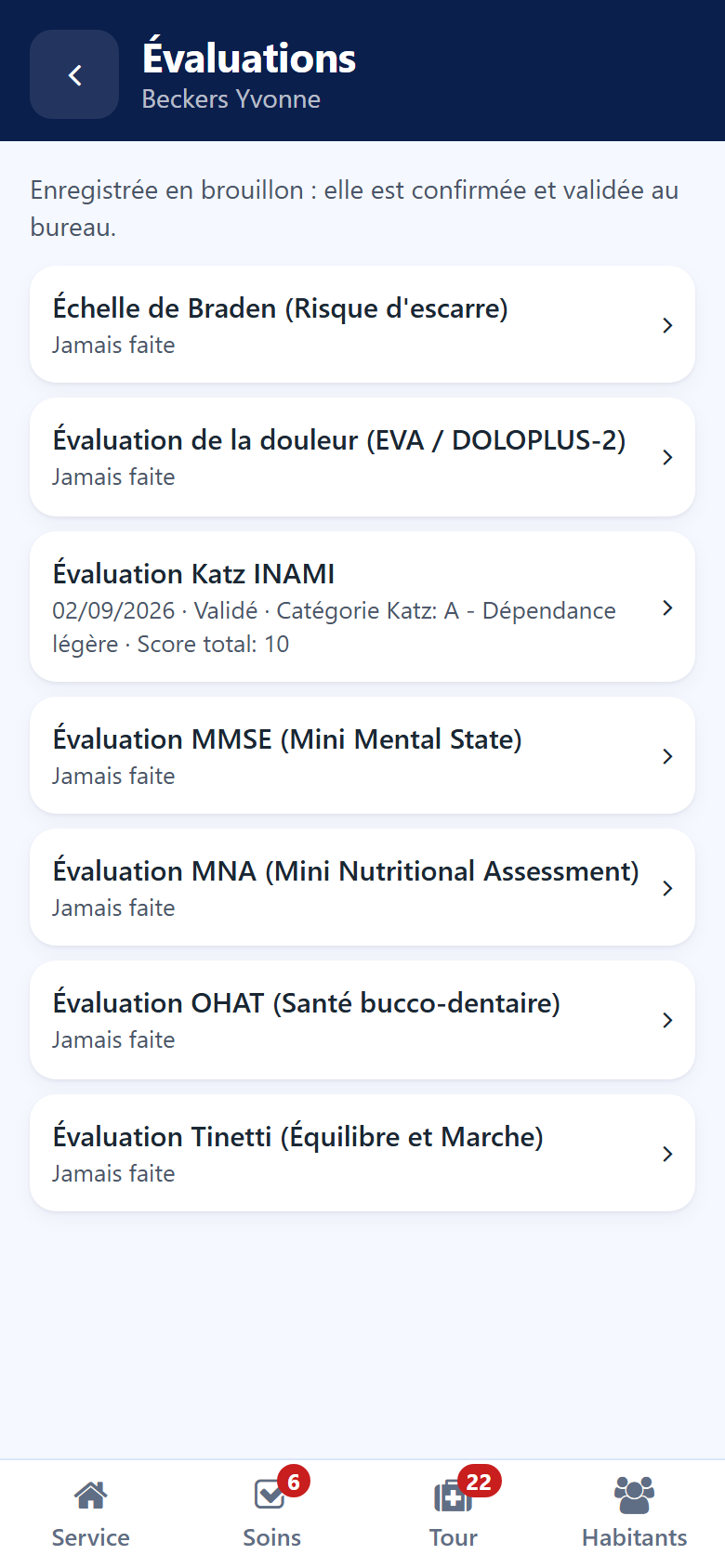
The list of scales
The scales awaited come first, then the others in alphabetical order. Under each scale:
the date, the status and the result of the last evaluation, or Never done;
To do — the scale is awaited;
To validate — an evaluation is waiting for its validation at the desk;
a padlock and Not for your role — your role does not allow this scale.
In Belgium
The Katz scale awaited by an admission shows To do in the app until it is filled in. See The Katz assessment.
Filling in a scale
Tap the scale.
Read the On file block when the scale has one (see below).
Answer each question with one tap. A star marks the questions still required. A question that does not apply to the answers already given is hidden.
Add your remarks under Observations.
Read the score and the result, computed as you answer.
Tap Save as draft.
Until every required question is answered, the screen says how many are left, and Save as draft stays locked.
The evaluation is recorded as a draft. It is confirmed and validated in the back office — see Evaluations. When the scale was opened from a task, saving it ticks that task.
What the record already knows
Some scales ask for facts nobody knows by heart at the bedside. The nutrition scale (MNA) shows them in an On file block at the top:
Last weight, with its date;
Weight change over the last three months, and the weight it compares with;
BMI, with the height — or Height missing;
Dependency — the resident’s dependency category;
the last Tinetti and MMSE scores, saying when they are still drafts.
When the height is missing, tap Enter the height, type it in cm and tap the check mark. The BMI is computed at once.
An evaluation already waiting at the desk
A scale holds one evaluation at a time waiting for the desk. While one waits, the form does not ask the questions again: it says the evaluation is waiting for its validation. When a task asks for that scale, Answer with this evaluation answers the task with it.
A draft started earlier comes back with its answers. When a request of the care meeting takes up that draft, a line above the questions says so.