Menus, diets and allergies
Each meal of the day has its menu: the dishes the kitchen serves at breakfast, lunch, dinner or a snack. Once the menu is confirmed, every resident served at that meal gets their place (a meal service), and WideCare checks each plate against the resident’s diets, allergies and texture.
Meal types
The meal types are set in Meals → Configuration → Meal Types: Breakfast, Morning Snack, Lunch, Afternoon Snack and Dinner are provided. For each type:
Default Time — the usual hour of the meal. It places the meal in the day and decides which meals a resident who comes only part of the day is served.
Share of the Day’s Needs (%) — the part of the day’s energy and protein this meal is expected to bring. A resident who eats only some meals in the home is judged on those meals only. Left empty on every type, the day is shared evenly.
Building a menu
Go to Meals → Operations → Menus (or click Create Today’s Menus on the dashboard to create all of today’s menus at once).
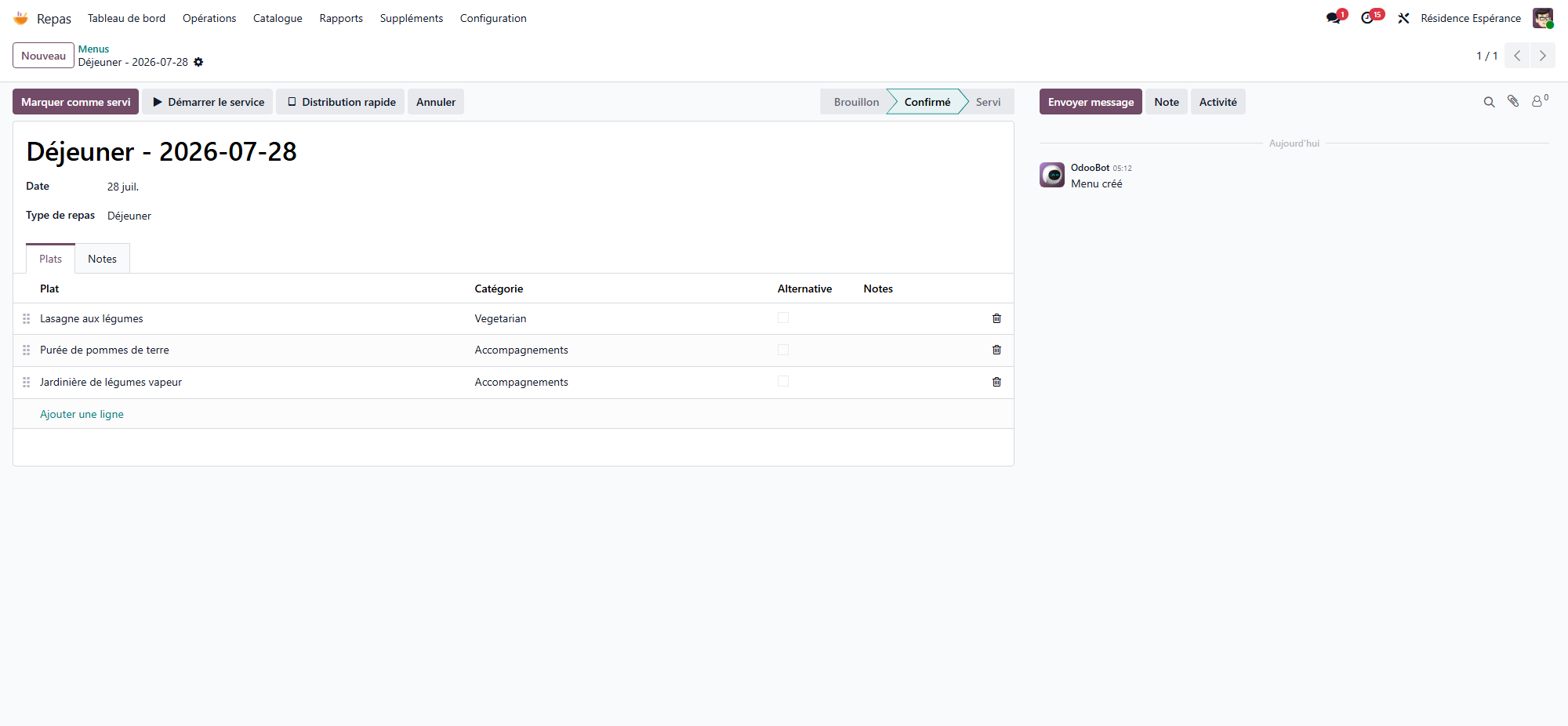
Choose the Date and the Meal Type. There is one menu per meal type and per day.
In the Dishes tab, add the dishes from the catalogue. For each line:
Category — starter, main course, dessert…
Alternative — tick it for a dish offered instead of the main one. An alternative is not put on every plate: it is chosen resident by resident.
Notes — a word for the kitchen.
Click Confirm.
The Menus list opens on today’s menus; the Today, Tomorrow and This Week filters and the calendar view show the other days.
The menu status
Status |
Meaning |
|---|---|
Draft |
The menu is being prepared. Nothing is laid yet. |
Confirmed |
The places are laid: the round can start. |
Served |
The meal is over (Mark as Served, or Complete on the dashboard). |
Cancelled |
The meal is not served. |
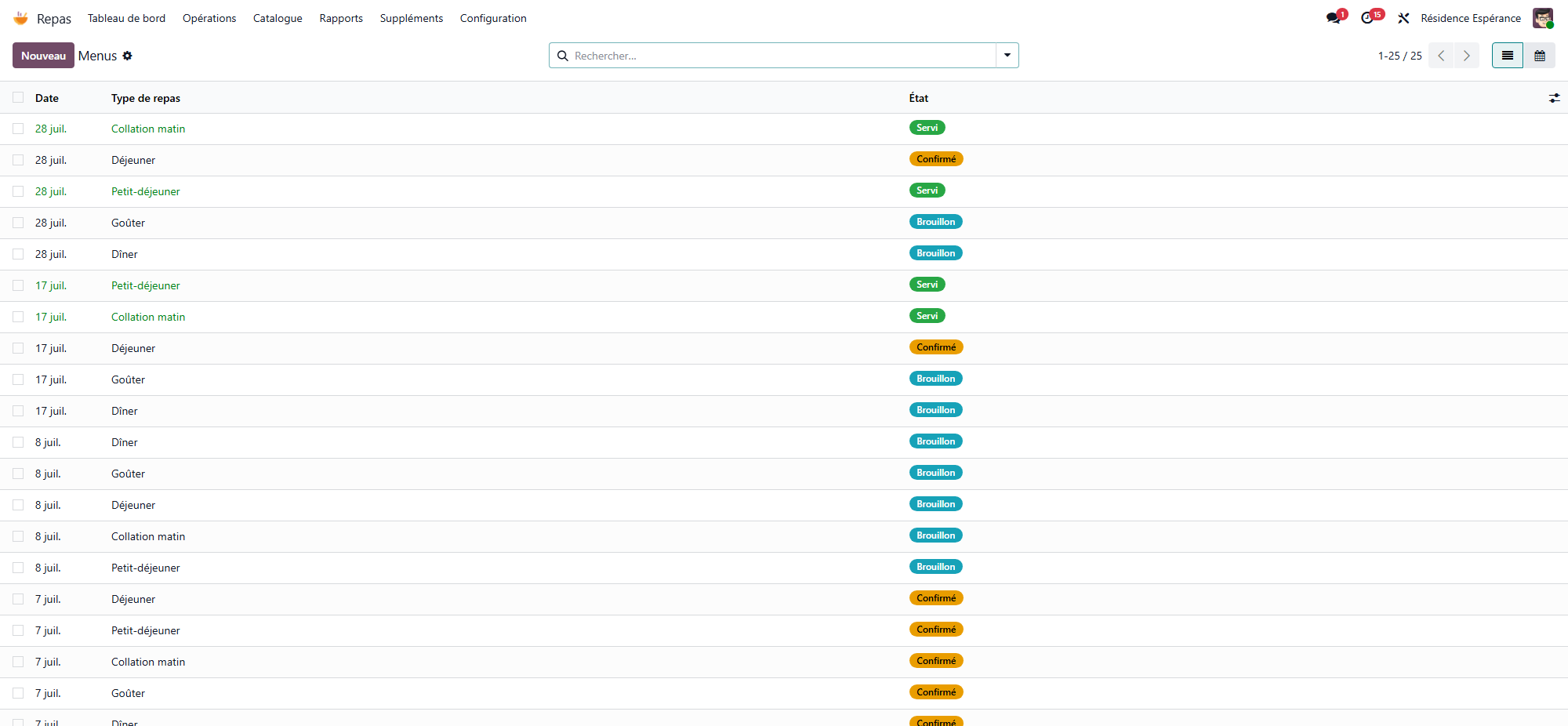
Confirm lays a place for every resident served at that meal, with the menu’s dishes. Nobody in hospital or away that day gets one, and a resident who comes only part of the day gets the meals of their hours.
Lay Missing Couverts (on a confirmed menu) lays the places of residents arrived since the confirmation, then opens the list of the meal’s places.
Cancel takes off the round the places nobody has dealt with yet. A plate already served or refused stays.
Reset to Draft brings a cancelled menu back to draft.
When you change the dishes of a confirmed menu, the places not served yet follow the new dishes. A plate already served or refused, or one whose dish was changed for that resident, keeps its own dishes.
Traceability
A menu in the Served status cannot be deleted, nor can a plate already served or refused: WideCare keeps them. Correct the record instead.
Diets
The diets are listed in Meals → Configuration → Dietary Regimes (Normal, Diabetic, Low Sodium, Low Fat, Enteral feeding, Enriched are provided). On a diet:
Code — a short code shown on the round and on the printed sheets (for example DIAB).
Restrictions — Salt-Free, Sugar-Free, Low Fat, Gluten-Free, Lactose-Free, Vegetarian, Halal, Kosher. WideCare uses them to check the dishes.
The Residents button lists the residents on that diet.
A resident can have several diets at once (diabetic and low salt, for example). Record them on the resident’s Nutrition tab, in Diets and Textures, or on their care plan (see below).
Tip
On a pathology of the catalogue, the Dietary Regimes tab lists the diets to suggest: when that pathology is diagnosed, WideCare adds them to the resident’s diets.
Food allergies
The allergens are listed in Meals → Configuration → Allergies, each with a default severity: Low - Monitor, Medium - Warning, High - Strong Warning, Critical - Block Prescription.
A resident’s food allergies are the food lines of their allergy table, on the Care tab of the resident: the severity recorded there for that resident wins over the default one. The Food Allergies block of the Nutrition tab shows the same list: adding an allergen there records the allergy, removing it deletes the line.
Diets on the care plan
The Nutrition tab of the care plan edits the same information as the resident’s record: Dietary Regimes, Texture, Food Allergens, the resident’s food preferences and Food Dislikes. What a nurse changes there is what the kitchen reads, and the change is written in the plan’s history.
Dietary alerts
For every place laid, WideCare compares the dishes with the resident’s profile:
What is checked |
Result |
|---|---|
An allergen of a dish the resident is allergic to, severity High or Critical |
Critical alert |
The same, lower severity |
Warning |
A sugar-free diet and a dish with more than 5 g of sugar not marked Diabetic Safe |
Critical alert |
A sugar-free diet and a dish not marked Diabetic Safe |
Warning |
A salt-free diet and a dish with more than 1 g of salt not marked Low Salt |
Warning |
A gluten-free, vegetarian or halal diet and a dish not marked accordingly |
Warning |
A dish only available in a coarser texture than the resident’s |
Critical alert (choking risk) |
A dish only available in a finer texture than the resident’s |
Warning |
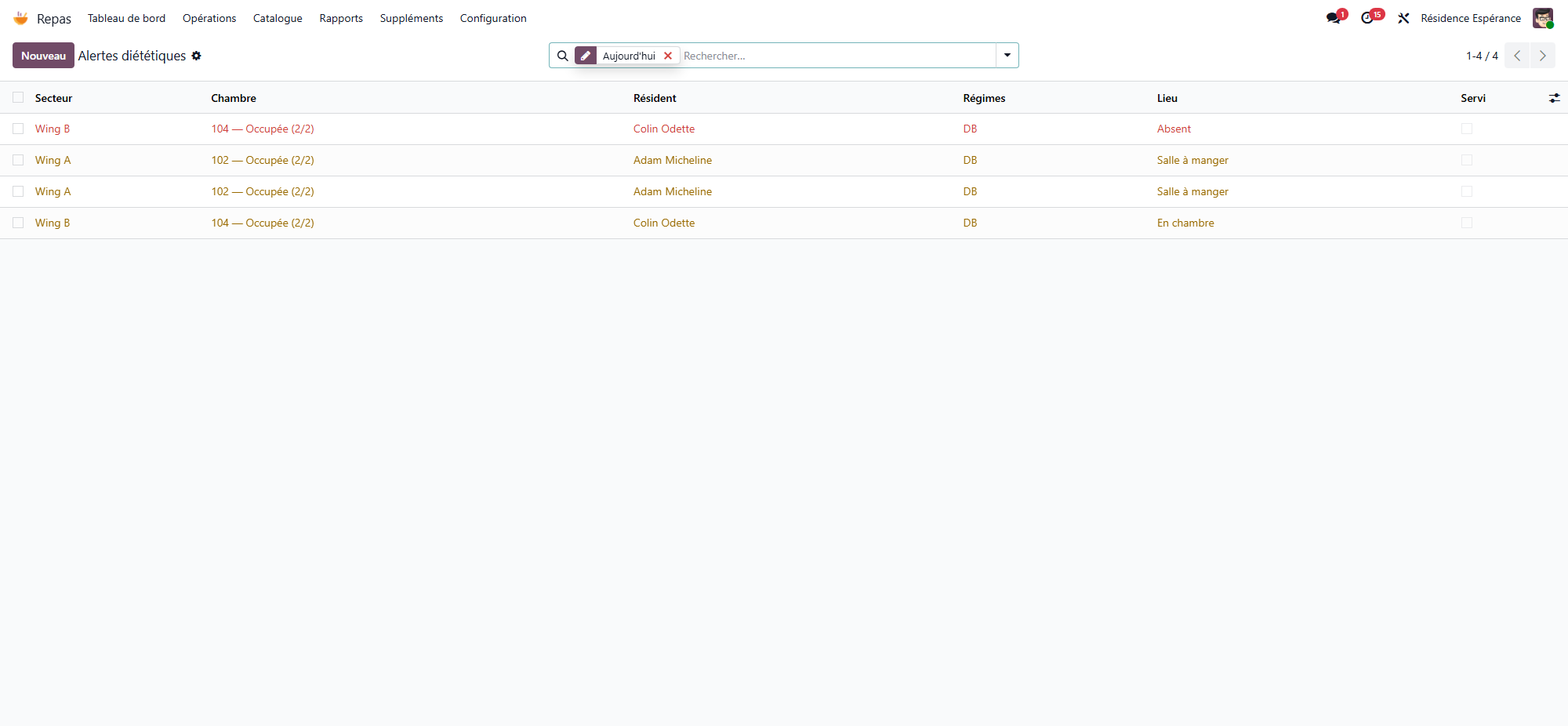
Meals → Operations → Dietary Alerts lists today’s plates with a warning, with the sector, room, resident, diets and place. The Critical Alerts filter keeps the critical ones.
A critical alert blocks the plate
WideCare refuses to mark as served a plate with a critical alert. Change the dish first: on the meal service, the Compatible Dishes button lists the dishes of the catalogue that raise no warning for this resident. See The meal round.