Admitting a day care user
A day care user is admitted like any resident, with a CSJ stay in a day place. What changes is what the stay carries: the days the user comes, their usual hours, the transport, and a day place billed on the days attended instead of every night.
From the admission pipeline
The candidate’s file says which sector they are asked for. In the admission pipeline:
the CSJ filter keeps the candidates for the day care centre;
the free places of the day care centre are counted day by day: a user takes a place on each day they are expected, so the centre reads its tightest opening day, and the places free on each weekday;
when the candidate’s Katz evaluation meets none of the day care profiles, the file says so: This Katz gives no day care category (none of F, Fd or D): no allowance is due for this user.
When the candidate is admitted with CSJ as sector, the admission dialog also asks for Expected on and Usual hours, proposed at the centre’s hours. Both are written on the stay.
Open the stay
Admit the user from the pipeline or from their file, with CSJ as Stay Type (1):
the Room picker (2) offers the day places only;
the stay shows no nightly rate, no short-stay option and no invoice type: there is no bed, and a day care month is billed after the days happened.
From a day room, Assign Resident opens a CSJ stay straight away. The day care stays are listed under Day care centre → Day care stays, and the users under Day care centre → Day care users.
The days the user is expected
On the stay, Expected on (3) holds the days agreed with the family: Mon to Sun. They drive everything that plans work for the user — the screen at the door, care tasks, medication, the missed-care count.
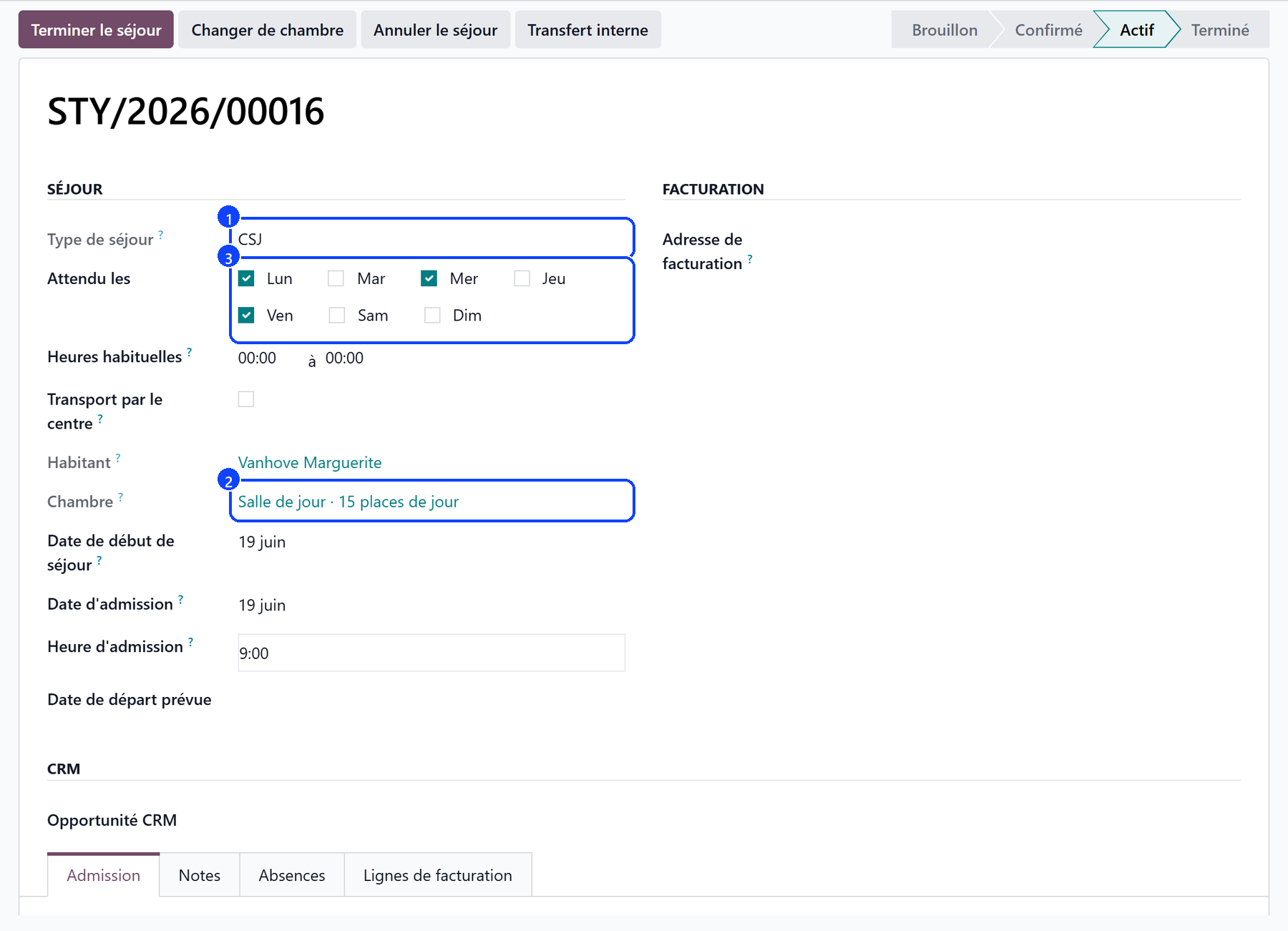
Nothing ticked: the user is expected on every day the centre opens.
A day recorded in the register always counts, even outside the agreed days.
Usual hours says when the user usually arrives and leaves. Left blank, the centre’s hours apply. They place the care and the medication of the day until the register says when the user actually came.
When the admission day is a day the centre is closed, or not one of the agreed days, a banner on the stay says so: in day care, the admission is the first day of attendance.
Transport by the centre
When the centre drives the user between home and the centre, tick Transport by the Centre on the stay:
under Driven on, the days of the transport — none ticked: every day the user comes;
under Transporter, who drives them — empty: the centre’s own vehicle.
The register then ticks Transported by the Centre on those days, and the transport supplement counts them. A transport priced at 0.00 EUR — included in the day price, or billed by the transport firm itself — subscribes nobody.
Start the stay
Click Start Stay on the user’s first day. WideCare then:
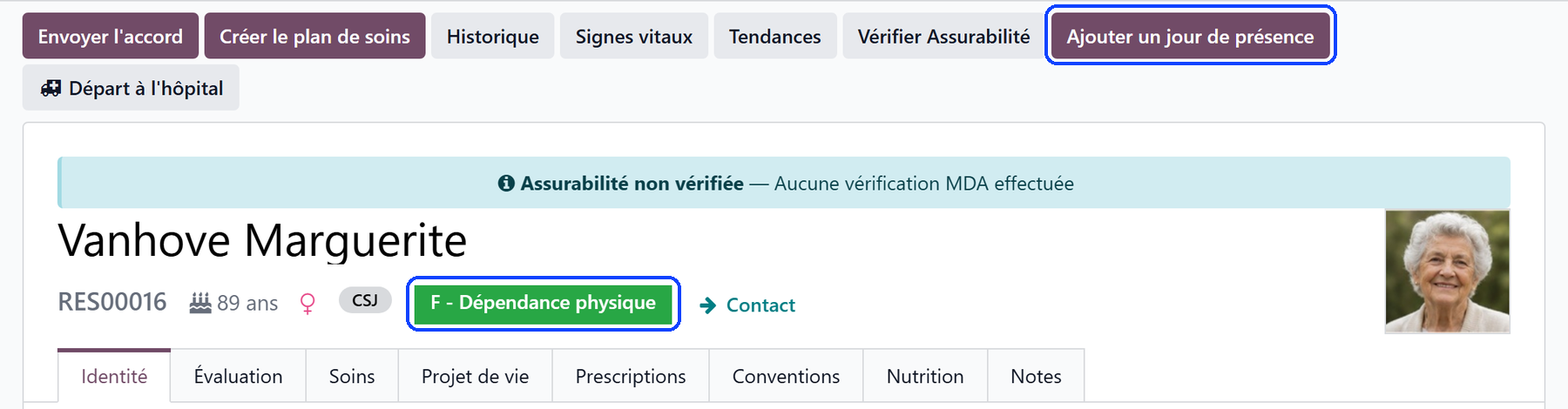
shows the Add a day of attendance button on the user’s file, next to the Attendance days smart button that opens their days;
checks that the day place has a price: a place at 0.00 EUR bills the user no day price, and a note on the file says so.
Nothing is subscribed under the Conventions tab: the day price is the place’s, billed on the days attended. See Setting up a day care centre.
Note
Starting a stay needs the admission hour: it declares when the INAMI intervention begins.
The move-in steps
A day care admission moves nobody into a room. Its move-in steps are staff tasks for the administration:
Hand over the house rules against a signed receipt — before the agreement. Record the date under House rules handed over on, on the Admission tab of the stay: the task closes by itself.
Sign the day care agreement with the user or their representative.
Record the agreed attendance days — only while no day is ticked under Expected on.
The CSJ category
The same Katz evaluation serves both sectors. For a day care user, WideCare reads its CSJ category, shown under CSJ on the evaluation:
F — dependent for washing and dressing, and for transfer or toileting;
Fd — disoriented in time and space, and dependent for washing or dressing;
D — dementia diagnosed by a specialist, with a written report;
Fp — no score gives it: while the evaluation is in draft, the evaluator switches on Class as Fp.
A user in none of them earns no day care forfait, and the evaluation says so. The badge on the file and the name of the evaluation carry the CSJ letter. In the list of evaluations, Clinical category keeps the rest home letter and Billed category shows the one sent to the insurer. See The Katz assessment.
Warning
A D in day care is validated only with the date of the diagnostic assessment and the specialist who made it — a neurologist, a geriatrician or a psychiatrist. Once validated, the evaluation is locked: record them before validating.
The agreement
A day care admission asks the health insurer for its agreement with a request of its own and its Annexe 14, within 14 days of the admission. It runs for a year, then is renewed. See The day care agreement.
Readmission
A user who left and comes back is readmitted with Readmit: the new stay starts with the days, the usual hours and the transport of the last one, so nobody agrees them a second time. A day care readmission always asks the insurer for a new agreement.
Moving between the rest home and the day care centre
A resident who leaves a bed for the day care centre — or the other way round — changes sector: use the internal transfer, which closes one stay, opens the other and produces the annexes the insurer expects. See Internal transfer.
A respite in the rest home
A house that runs both sectors may take a day care user into a rest home bed for a short while — the family is away, or worn out — then back to the day care. Tick Respite in the internal transfer dialog, and give the day the user is expected back under Back at the day care on.
The day care is paused, not ended: its agreement runs on, so no end of care is notified on the way out.
The rest home stay names the day care stay it interrupts, under Respite from the day care.
On the way back, the day care stay resumes with its agreed days, its admission date and its day price, and no new request is filed while the agreement still covers the user.
A respite that ends anywhere else — an end of stay, a death, a move to another sector — files the day care’s end of care then.
What’s next
The day care agreement — the Annexe 14, the answer, the yearly renewal.
Recording attendance — marking present the users who came, one day at a time.
Care for a day care user — the care plan and the tasks of the days expected.